Too Many Tabs Open? How to Stop Tab Hoarding (Without Losing Links)
We’ve all been there: you start with a single search query, and 30 minutes later, the top of your browser is squeezed so tight you can’t even read the titles. You have 50+ tabs open, your computer’s fan is spinning like a jet engine, and your productivity has ground to a halt.
Tab hoarding is a real problem. It’s digital clutter that drains your mental energy (and your RAM). But closing them feels risky—what if you lose that one important article?

This guide will explain why we hoard tabs and how you can stop it without the anxiety of losing information, using a modern tool called NoTab.
Why We Hoard Tabs (The "Just in Case" Trap)
Most of us don't hoard tabs because we are disorganized; we do it because we are afraid of losing information.
- "I'll read this later": The article looks interesting, but you don't have time now.
- "I might need this for reference": You keep a documentation page open just in case.
- The Tab Queue: You Ctrl+Click ten links from a search result to "process them" one by one.
The problem is, these open tabs become a to-do list that you never finish. They sit there, distracting you, creating visual noise that kills your ability to focus on the task at hand.
The Traditional Solution: Bookmarks & Tab Managers?
You might have tried using bookmarks (where links go to die) or tab manager extensions like OneTab (which hide the clutter but delay the decision-making).
While these tools help organize the mess, they don't stop the mess from happening. The real solution isn't better storage; it's better filtering.
The New Way: Preview First with NoTab
NoTab changes the game by handling links differently. Instead of "Click -> New Tab," the workflow becomes "Preview -> Decide."
NoTab is a browser extension designed to let you view content without cluttering your tab bar. It acts as a shield against tab hoarding.
1. Preview Before You Commit
The biggest source of tab clutter is "triage"—opening 10 search results to find the 1 good answer.
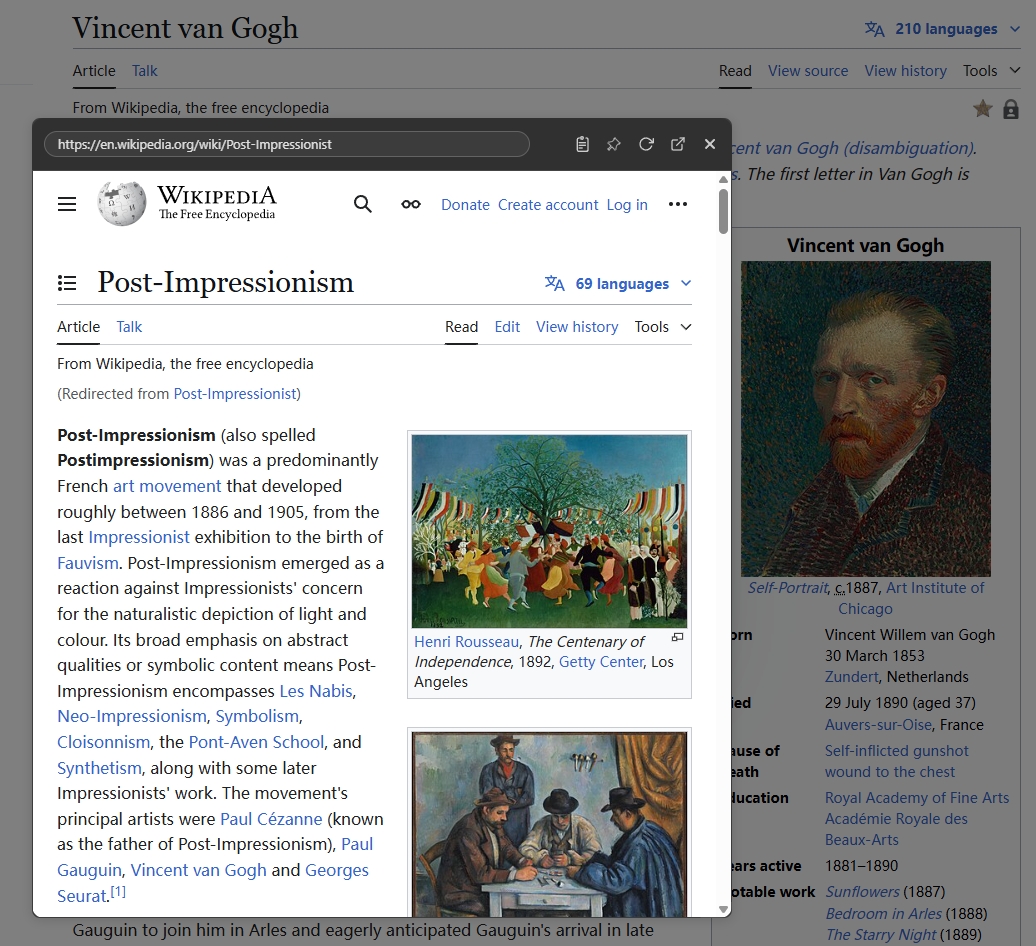
With NoTab, you simply drag a link (or right-click it) to open a floating preview window on your current page.
- Is it junk? Close the preview immediately. Zero clutter.
- Is it useful? Read it right there, or checkmark it to save.
You filter out the noise before it becomes a tab.
2. Compare Multiple Sources Side-by-Side
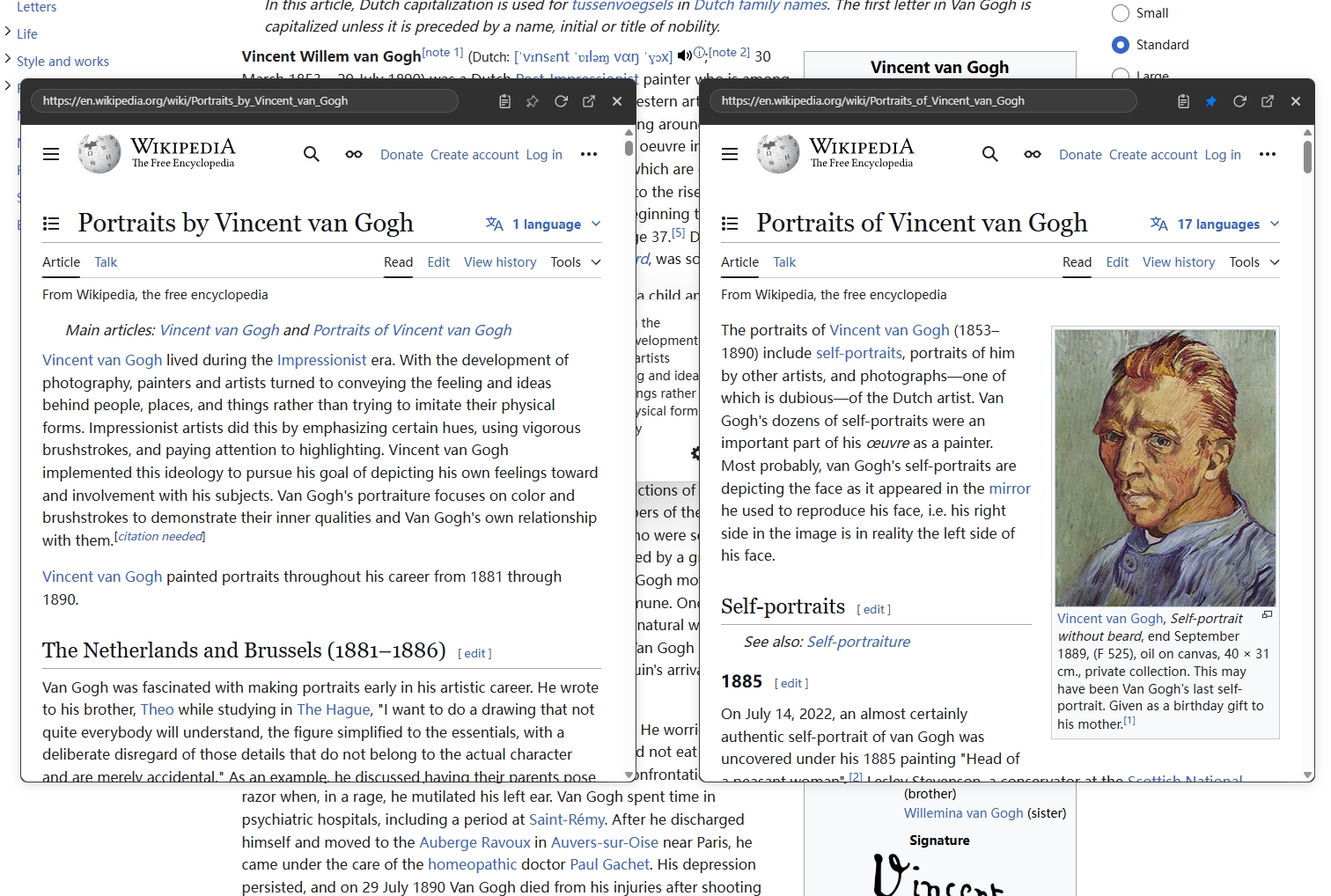
When you are shopping or researching, you often need to compare A vs. B. Normally, this means flipping back and forth between tabs.
NoTab allows you to open multiple preview windows simultaneously. You can put Amazon next to eBay, or two documentation pages side-by-side, all within a single browser tab.
3. Nested Browsing (Rabbit Holes Without the Mess)
What happens when you find a link inside the preview window? In a normal browser, clicking it opens yet another tab.
NoTab supports nested browsing. You can click links inside the preview, and they will open in the same window (or a new preview), keeping your main workspace clean. You can go five levels deep into Wikipedia without opening a single new tab.
4. Eliminate "Utility Tabs"
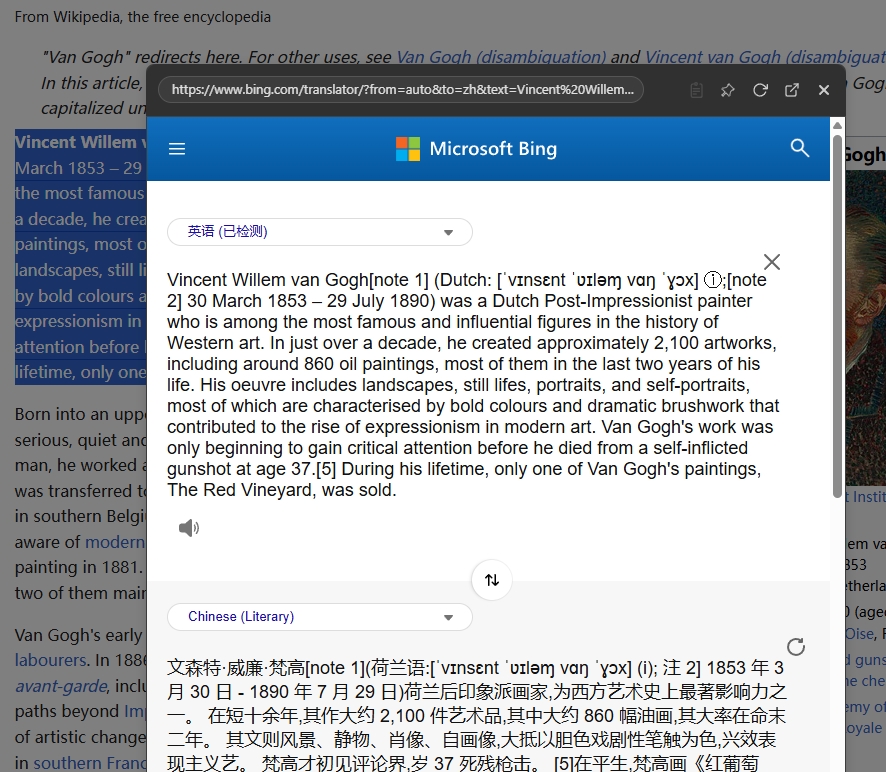
How many tabs do you have open just for Google Translate, a dictionary, or a quick currency conversion?
NoTab has built-in Quick Search and Quick Translate. Just highlight any text and drag it to get an instant definition or translation. See the result, close the popup, and move on. No permanent tab required.
5. Watch Videos While You Work
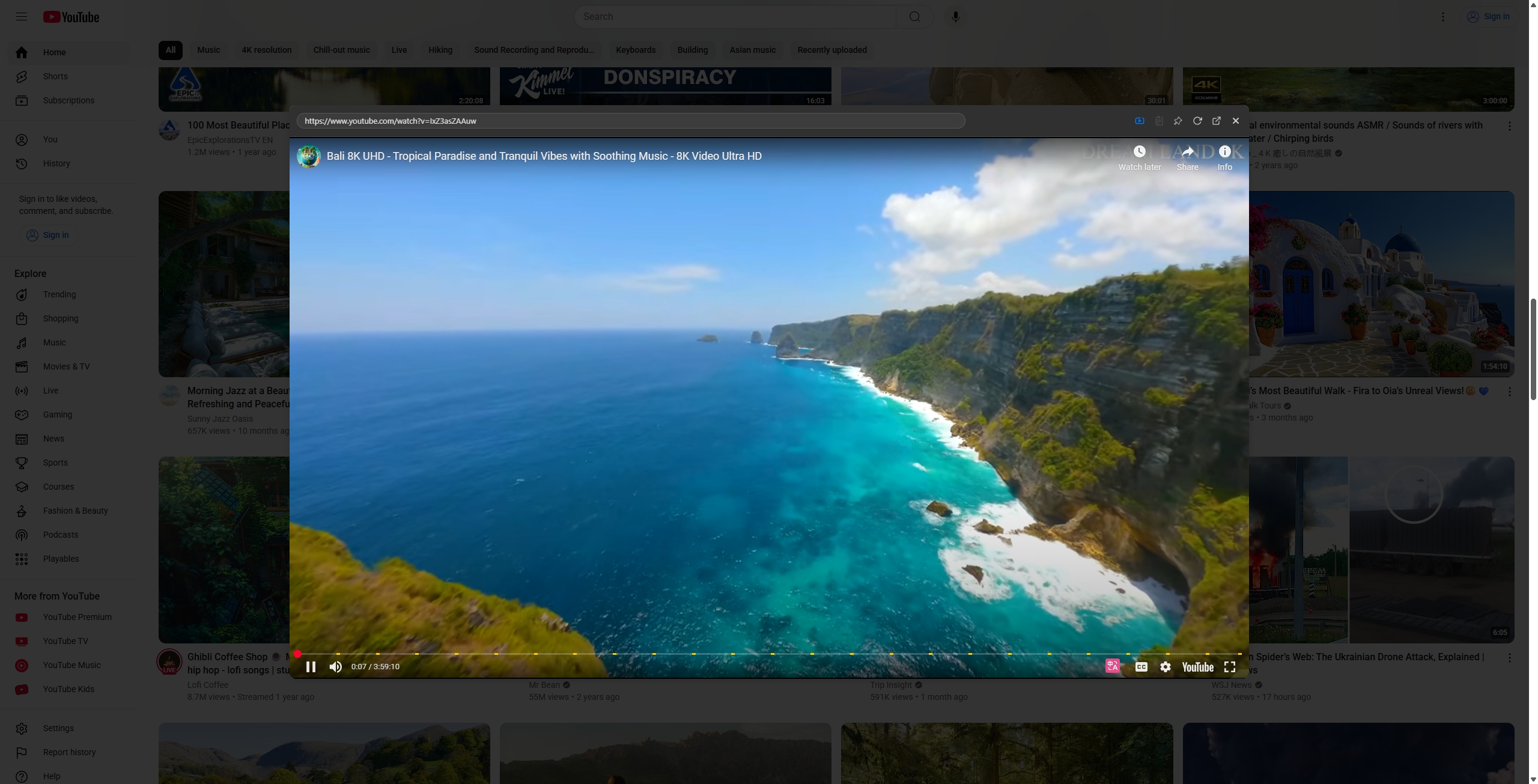
If you keep YouTube tabs open for music or tutorials, NoTab's Video Mode is a lifesaver. It opens video links in a distraction-free floating player that stays on top while you browse other sites or read documents.
Conclusion: Reclaim Your Focus
Stop letting your browser dictate your attention span. By switching to a "Preview First" workflow, you can drastically reduce the number of tabs you keep open.
You aren't losing links; you are simply filtering out the ones that don't matter, and viewing the ones that do essentially "on-demand."
Ready to stop tab hoarding?
Install NoTab for Free and experience a cleaner, faster web browsing experience today.