How to Improve Perplexity Search Efficiency? Advanced Usage with the NoTab Plugin
Do you often use Perplexity to find and organize information? Are you frustrated by the constant switching of new tabs when retrieving knowledge, doing research, or comparing different sources? Especially when faced with a long list of search results, each click opens a new tab, leading to confusion and reduced efficiency when switching, comparing, and organizing information.
This issue is not limited to Perplexity; nearly all users who delve deep into the web and search for information experience it.
Today, I'd like to recommend a browser plugin—NoTab, designed specifically to solve various problems associated with "search efficiency and data comparison."
What Can NoTab Do?
NoTab is a browser plugin created to enhance search and browsing efficiency. It allows you to preview linked content directly on the current page, eliminating the need to open new tabs, switch back to the main window, or get lost in window management—everything from web pages, articles, to even videos can be previewed in a streamlined manner.
Suitable for Perplexity and other search scenarios, main features include:
- Link Hover Preview
- Simultaneous Comparison of Multiple Links
- “Browsing Chain” for Internal Links to Continue Exploration
- Quick Search and Quick Translation
- Immersive Web and Video Playback with Adjustable Themed Windows
Next, I'll detail how to combine it with Perplexity for enhanced efficiency.
1. One-Click Preview, No Loss of Main Page
When you search through Perplexity and get numerous results, don’t you usually click open dozens of new tabs? NoTab supports dragging any link to pop up a preview window directly on the current page, making information clear at a glance while keeping the main page always within reach.
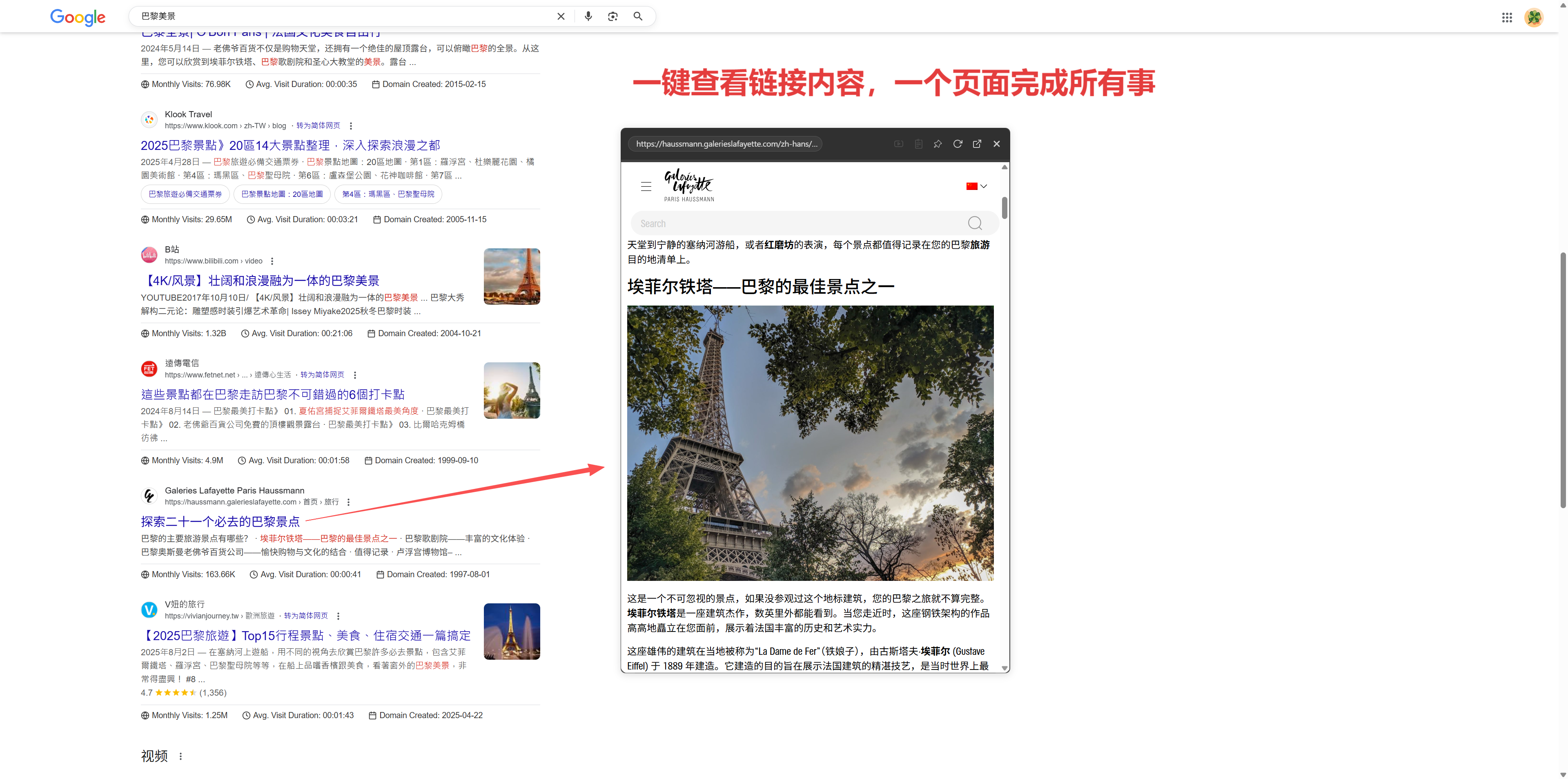
- Advantages: You won’t get lost among countless open tabs and won’t worry about locating the main search page.
- Example Use Case: Checking papers/blogs/official documents/competitive information is more convenient for content comparison.
2. Simultaneous Comparison of Multiple Links
Users often say, "I need to compare several search results, and switching tabs is a hassle!"
NoTab supports dragging multiple links, opening several preview windows simultaneously, arranged side-by-side for intuitive comparison. For instance, if Perplexity provides you with 6 sources, you can bring out 3-4 for content crossover verification without having to click back and forth through tabs.
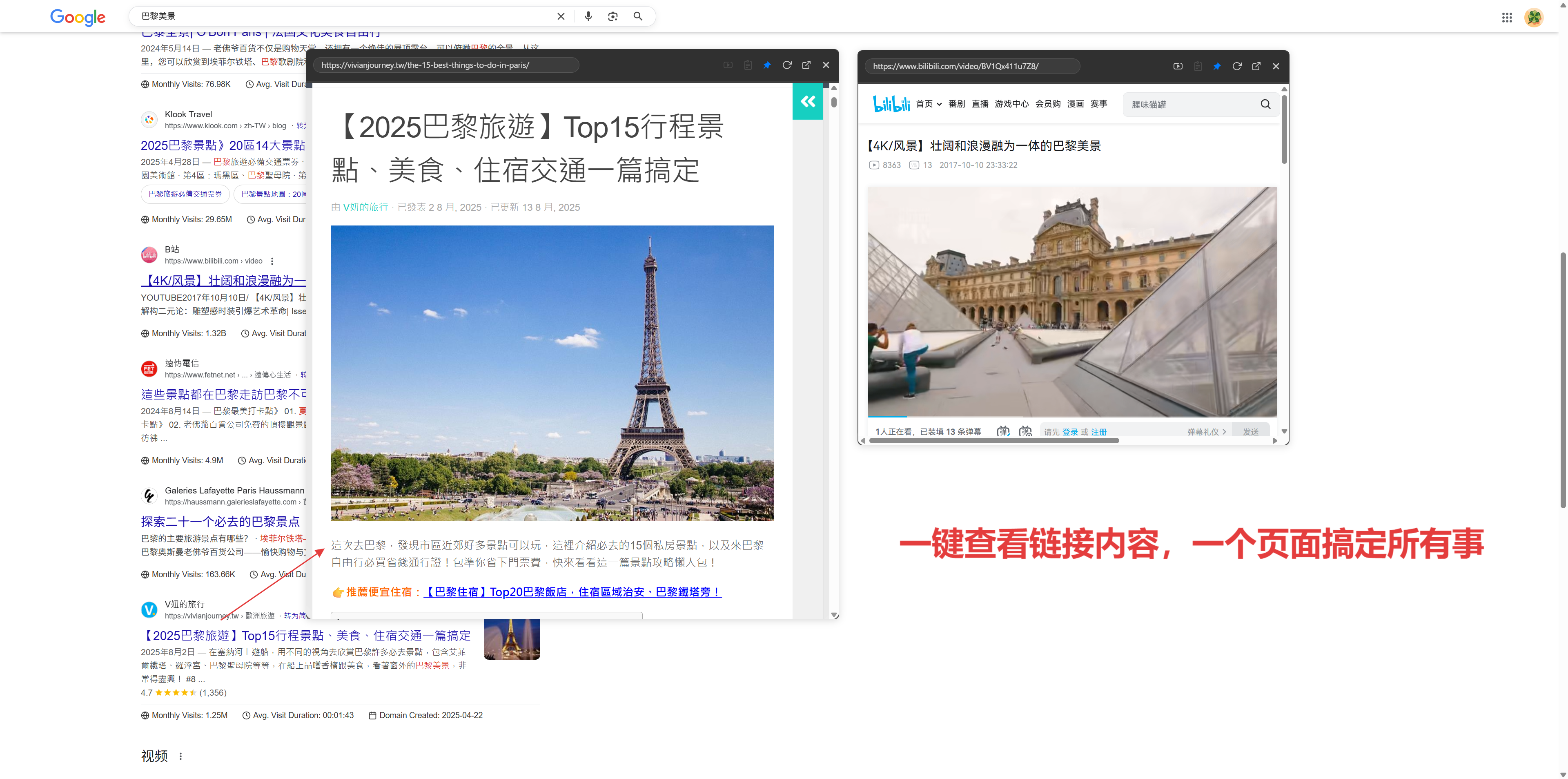
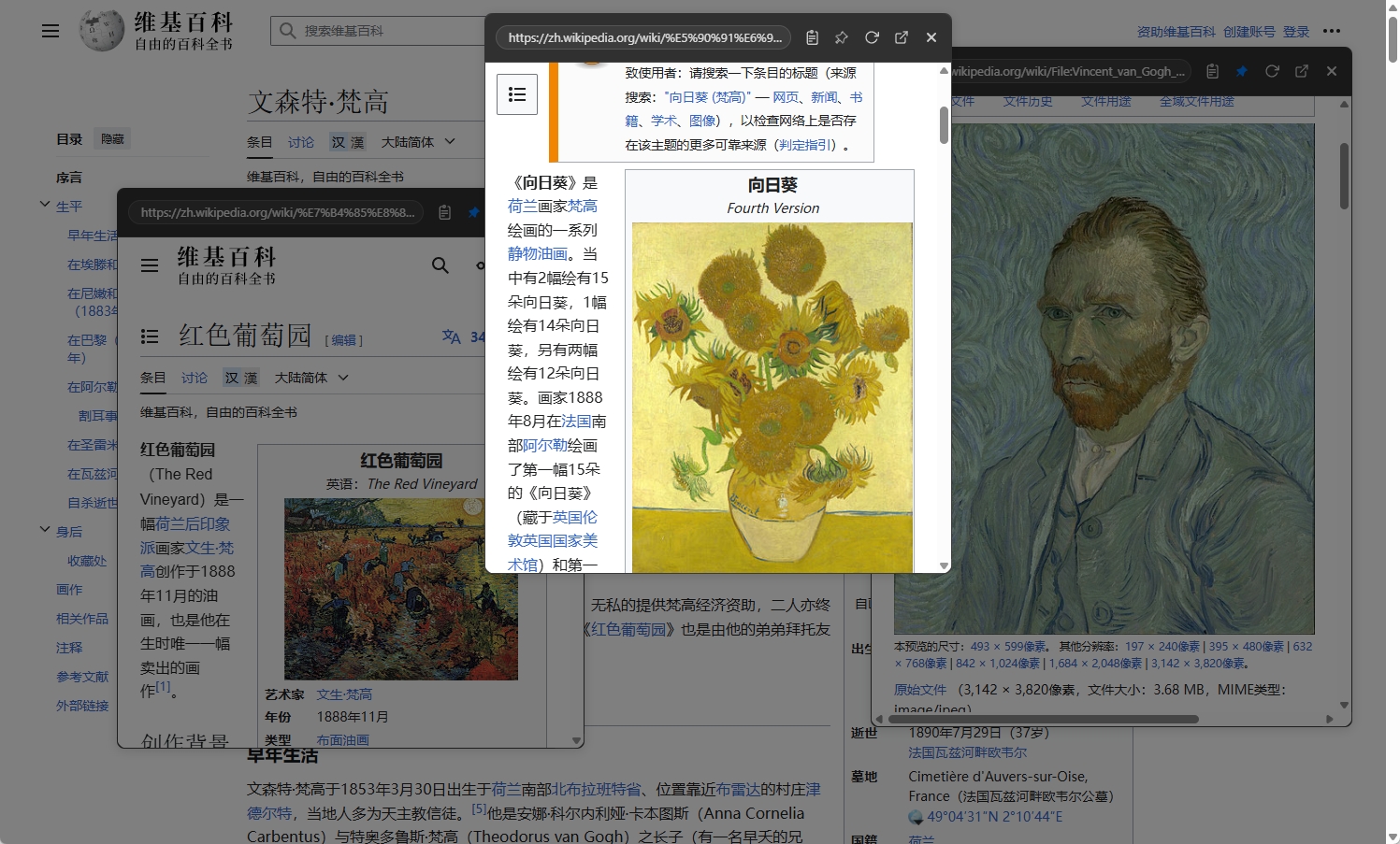
- Advantages: Reviewing side-by-side allows you to instantly judge which source is more authoritative, effectively doubling your efficiency.
- Example Use Case: Comparing different information, academic analyses, and product reviews.
3. Continue Browsing Internal Links
Sometimes when you reach an article or literature page, you still need to click on related references or hyperlinks. Traditionally, this requires constant page-switching and tag management, which is cumbersome.
NoTab allows you to continue clicking/dragging links within the content of the preview window, opening new windows to form a chained reading flow, making deep exploration effortless.
- Advantages: Information tracing and contextual routes become extremely simple; no more fear of getting "lost."
- Example: Reviewing a survey article can dive deeper into referenced descriptions with just a preview.
4. Quick Search and Quick Translation
What do you do when checking literature, reading foreign language content, or encountering jargon?
In addition to supporting link previews, NoTab can trigger quick searches/translations after selecting text, directly searching in the current pop-up window without needing to switch back to Baidu/Google/DeepL.
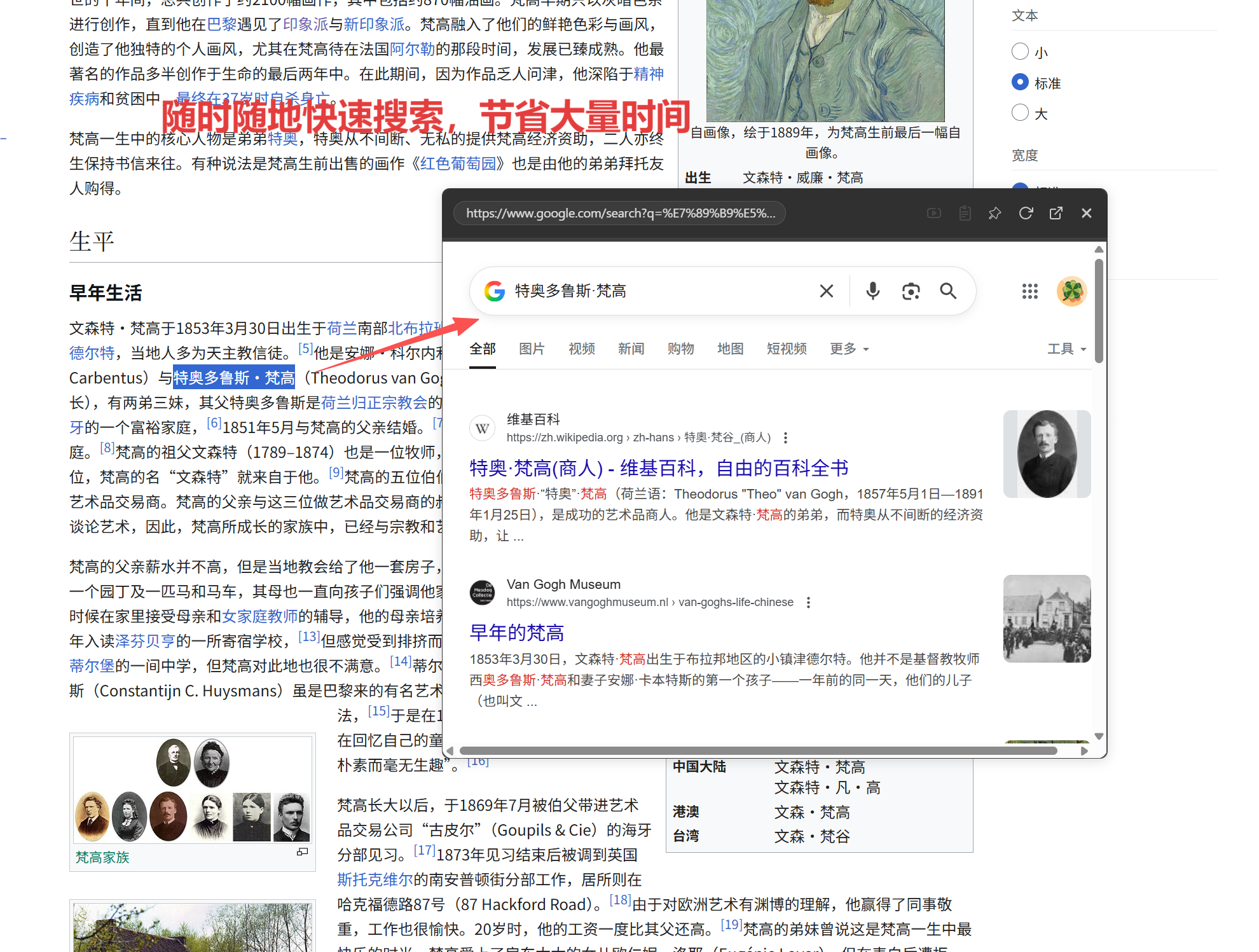
- Advantages: Translation and understanding new semantics can occur seamlessly, making it an essential tool for technical documentation and academic reading.
- Example: If you encounter a difficult sentence in an English abstract, you can quickly translate a segment for immediate clarification.
5. Immersive Video/Web Browsing
Sometimes Perplexity returns video explanations, web demonstrations, or answers from platforms like Zhihu/YouTube. The NoTab pop-up supports not just text pages but also features an immersive video playback mode, allowing you to adjust window size, border radius, and background transparency, enabling simultaneous browsing and viewing of materials.
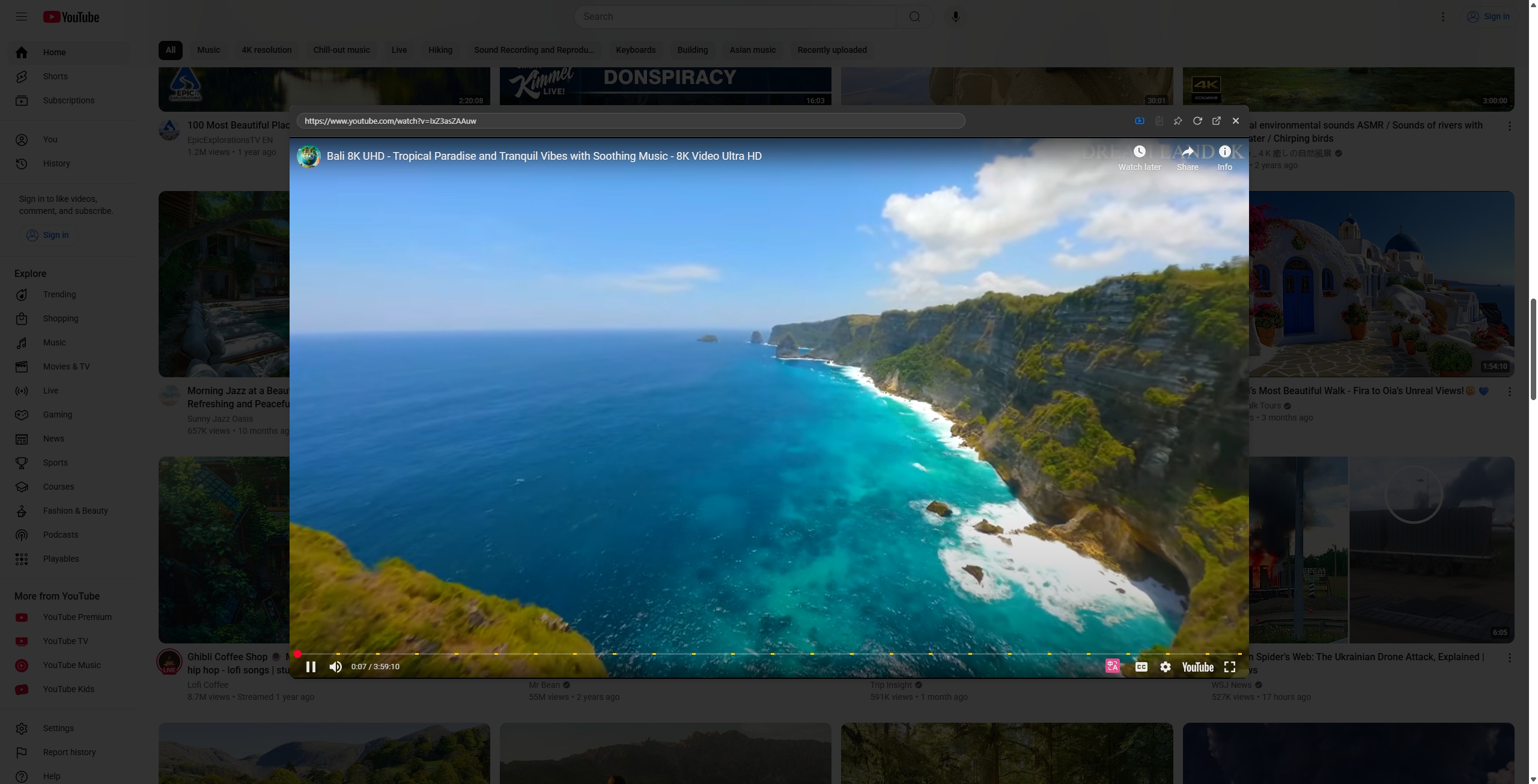
- Advantages: When preparing reports or taking notes, you can check content while watching explanations, leading to greater efficiency.
- Example: Studying tutorial segments/lectures/course materials side by side.
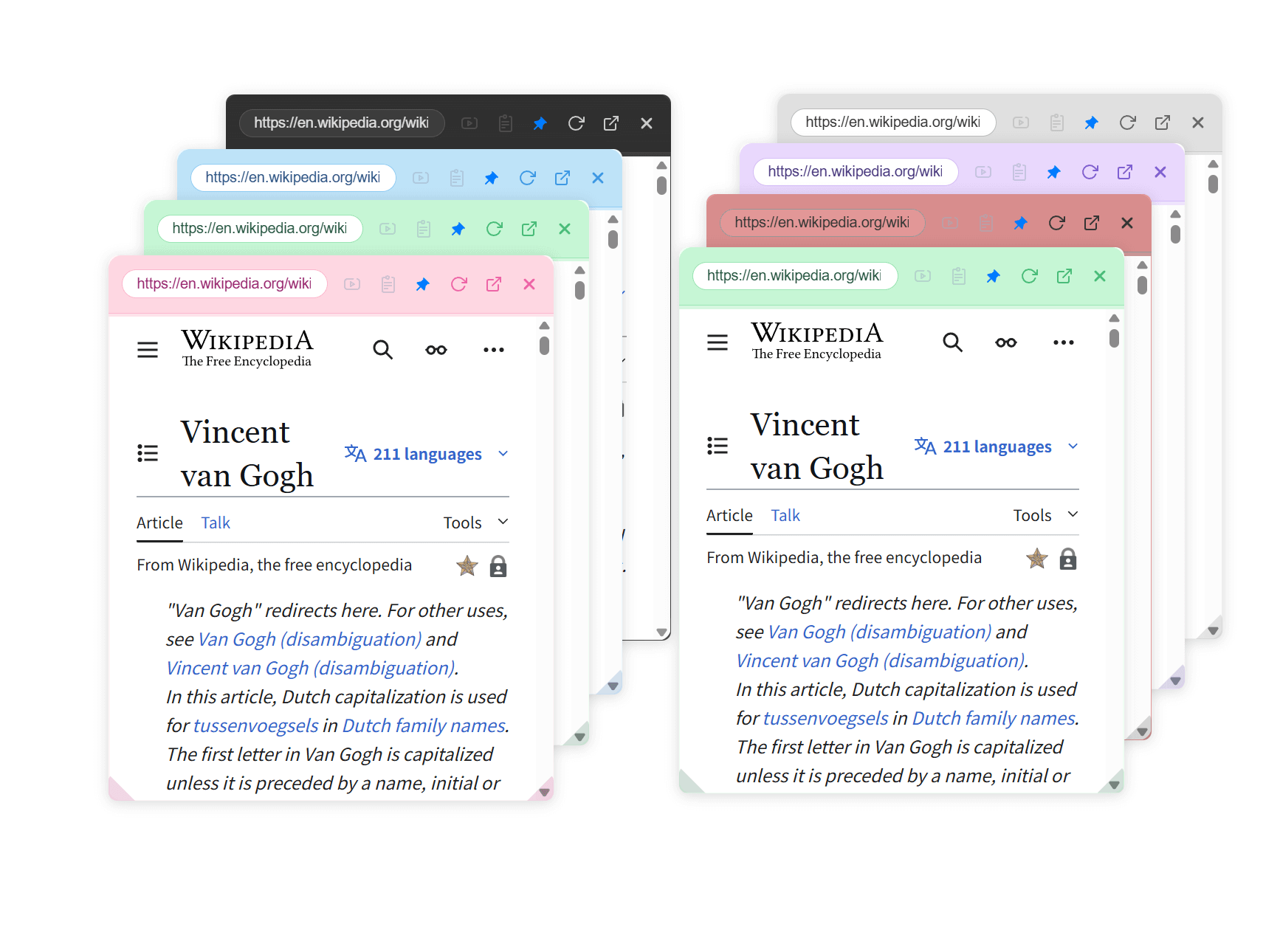
6. Diverse Themes for Eye Comfort
Supports dark, eye-friendly color themes, window size/transparency customization—no need to worry about visual fatigue or clutter during long times of information gathering.
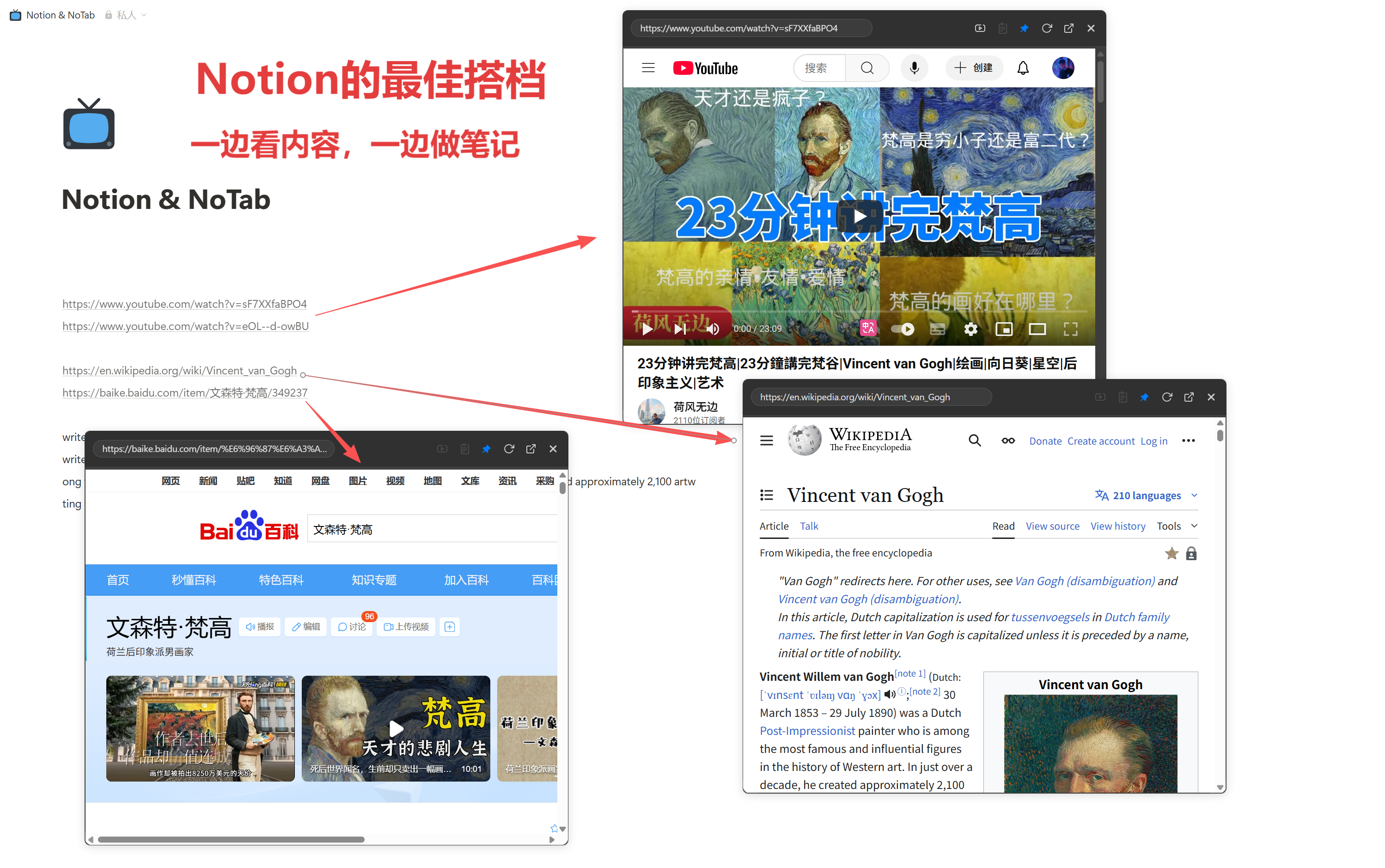
7. Compatible with Notion and Note-Taking Tools
NoTab isn’t just designed for Perplexity and Google; knowledge management/writing tools like Notion, Obsidian, and FlowUs can also directly "use NoTab for embedded search—immediate clarification on details, clicking where you don’t understand."
8. Other Useful Features
- The pop-up can be "fixed" in a certain area of the page without losing its position while scrolling.
- Dragging methods/actions can be customized to support left-click/right-click/hotkeys.
- Multiple windows can be managed independently, with ease of opening and closing.
- Lightweight performance, ensuring original web page loading is not impacted, with no ads.
Summary: NoTab Enhances Perplexity's Information Workflow
Using NoTab with Perplexity, you'll find that the entire process of searching, comparing, collecting materials, and organizing notes becomes efficient to the level of "no switching": all operations occur on the same main page, uninterrupted by browsing chains, leading to a simultaneous increase in efficiency and experience.
Installation Experience Address: https://notab.pro/
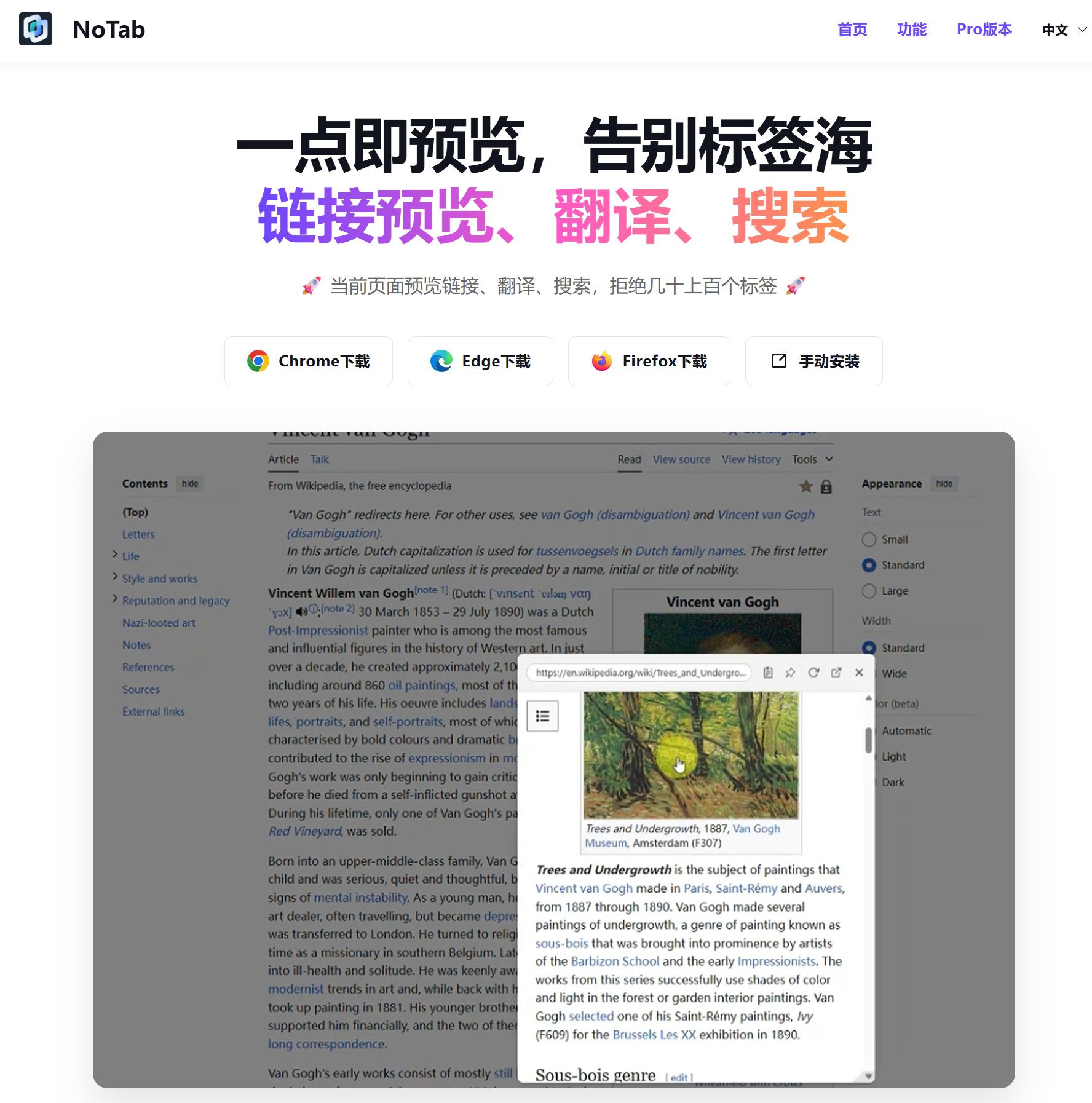
The free version has a daily usage limit, sufficient for typical light users to try. The Pro version is a one-time purchase of 19.9 yuan, with more detailed information and upgrade instructions available on the official website.
Enhancing Perplexity search efficiency, the NoTab plugin is undoubtedly your "retrieval helper." You'll realize, after just a few days of use, that the chaos of tabs is a thing of the past.
Feel free to leave comments or suggestions!