How to Achieve Arc's 'Mini Window' Feature in Chrome/Safari? Try the NoTab Browser Extension
Do you often envy the convenient Mini Preview feature of the Arc browser? While browsing websites, you can instantly preview content in a "floating window" without opening a bunch of new tabs, saving time and maintaining your reading flow.
However, Arc is only available on specific platforms; what should Chrome and Safari users do?
There’s now a solution — the NoTab browser extension (compatible with Chrome/Safari), making your browsing experience as smooth and worry-free as Arc!
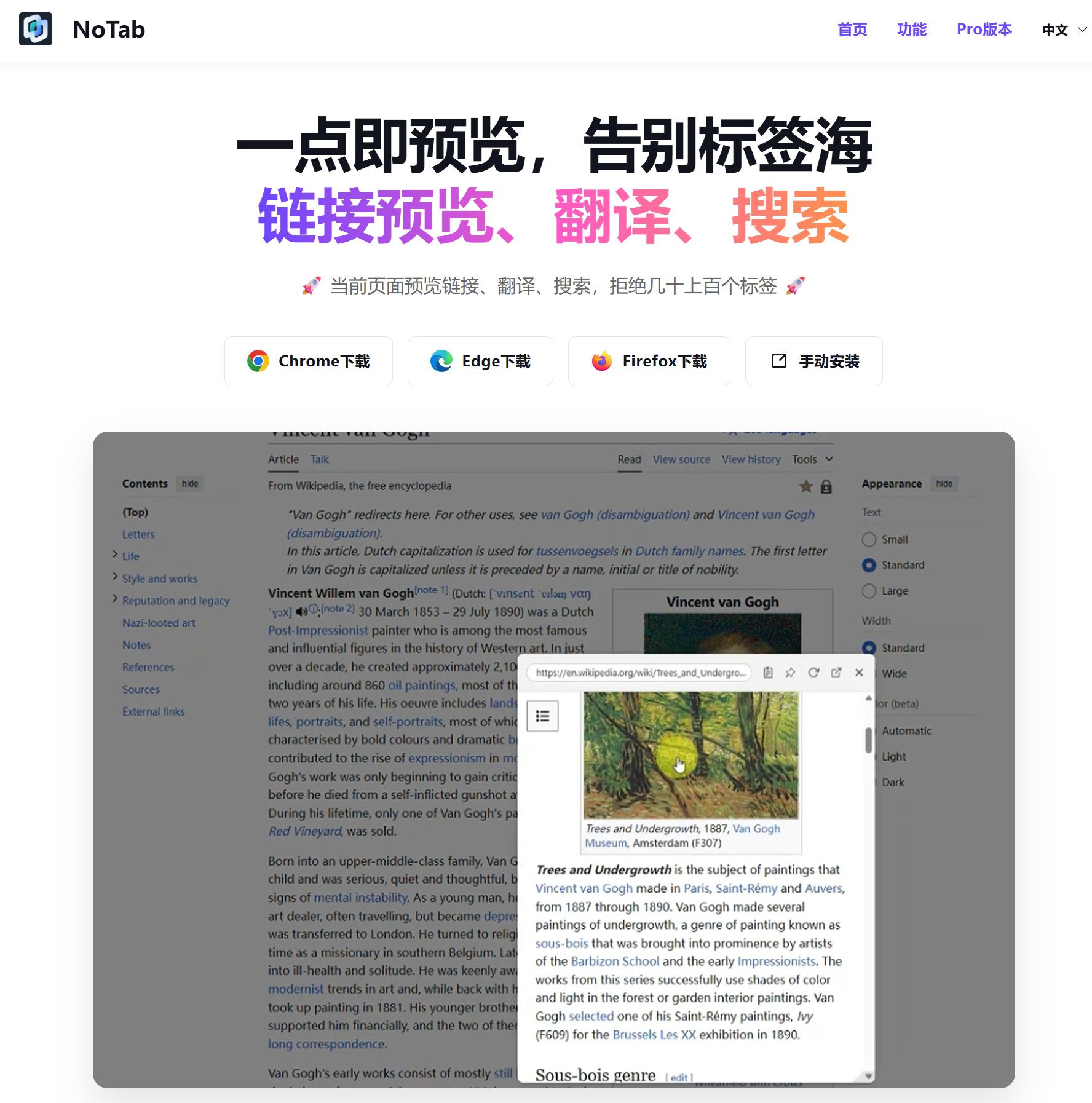
What Can the NoTab Extension Do?
In a nutshell, NoTab allows you to preview the content of any link directly on the current page — supporting web pages, articles, videos, etc., without switching to a new tab. In addition, it also offers:
- Support for dragging links to pop up a mini window
- Support for previewing multiple links simultaneously, making content comparison easy
- Internal links can be clicked to continue browsing, supporting multi-level navigation
- Provides quick search, one-click word lookup, and quick translation
- Videos support immersive playback mode, allowing size, corner radius, and transparency adjustments
- Diverse themes to suit various aesthetics
Let’s explore several common scenarios to experience the enhancements NoTab provides.
1. Searching for Information, More Efficient Content Filtering
Are you still clicking through Google or Bing search results one by one, closing unsatisfactory results with a single click?
With NoTab, you just need to drag the link of the search result to a corner of the screen, and a mini window will pop up, displaying the content clearly; you can drag multiple links open simultaneously for comparison, quickly locking in the best answer.
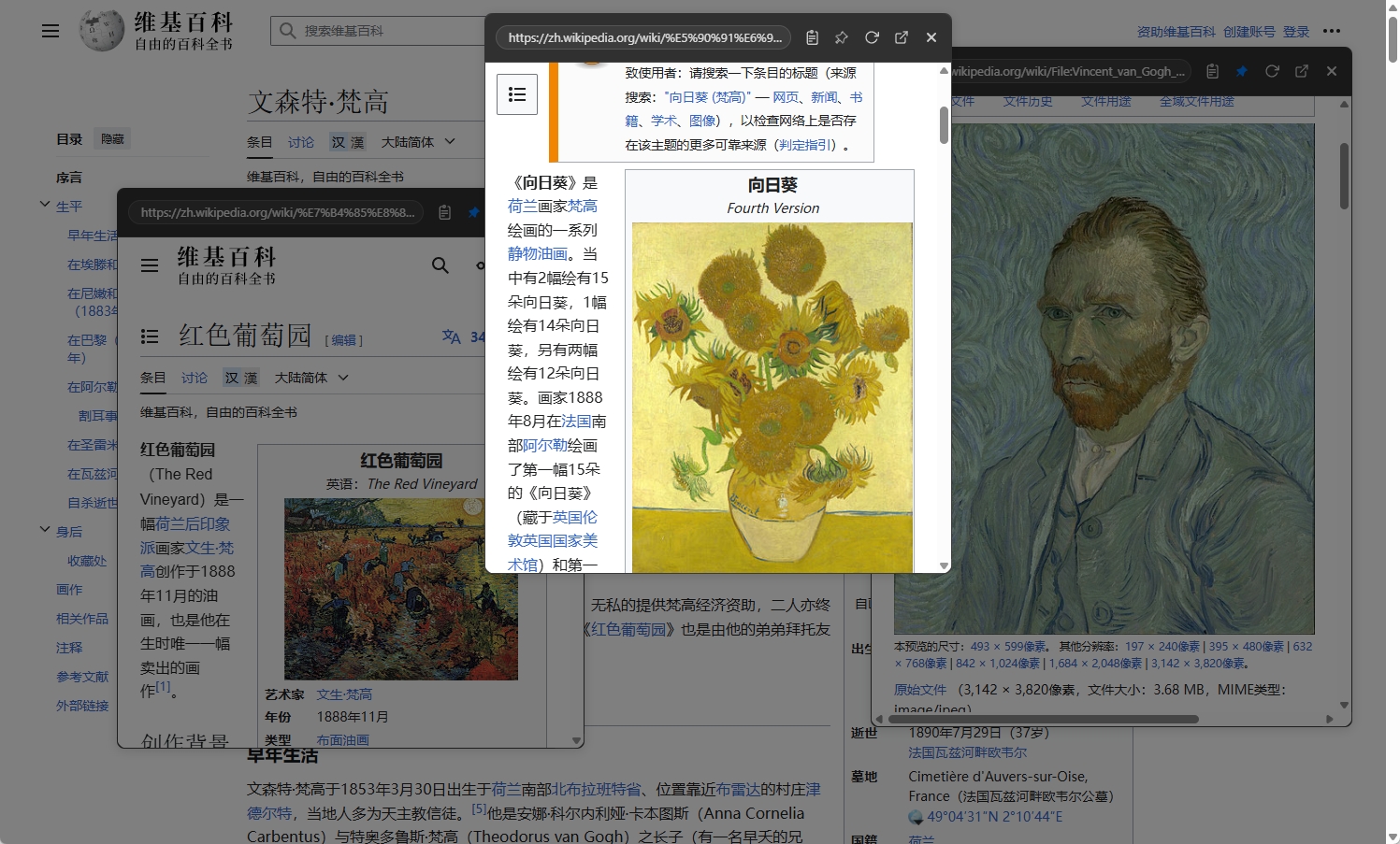
This not only saves a lot of tedious tab management operations but also avoids the interruption of thought caused by context switching.
2. Browsing Communities/Forums, Smoothly Navigating from Main Posts to Comments
In communities like Zhihu, Reddit, or V2EX, the homepage often shows a lot of interesting posts.
With NoTab, you don’t need to leave the current discussion thread: just drag to create a side mini window for a quick glance, close it when done, and move on to the next one.
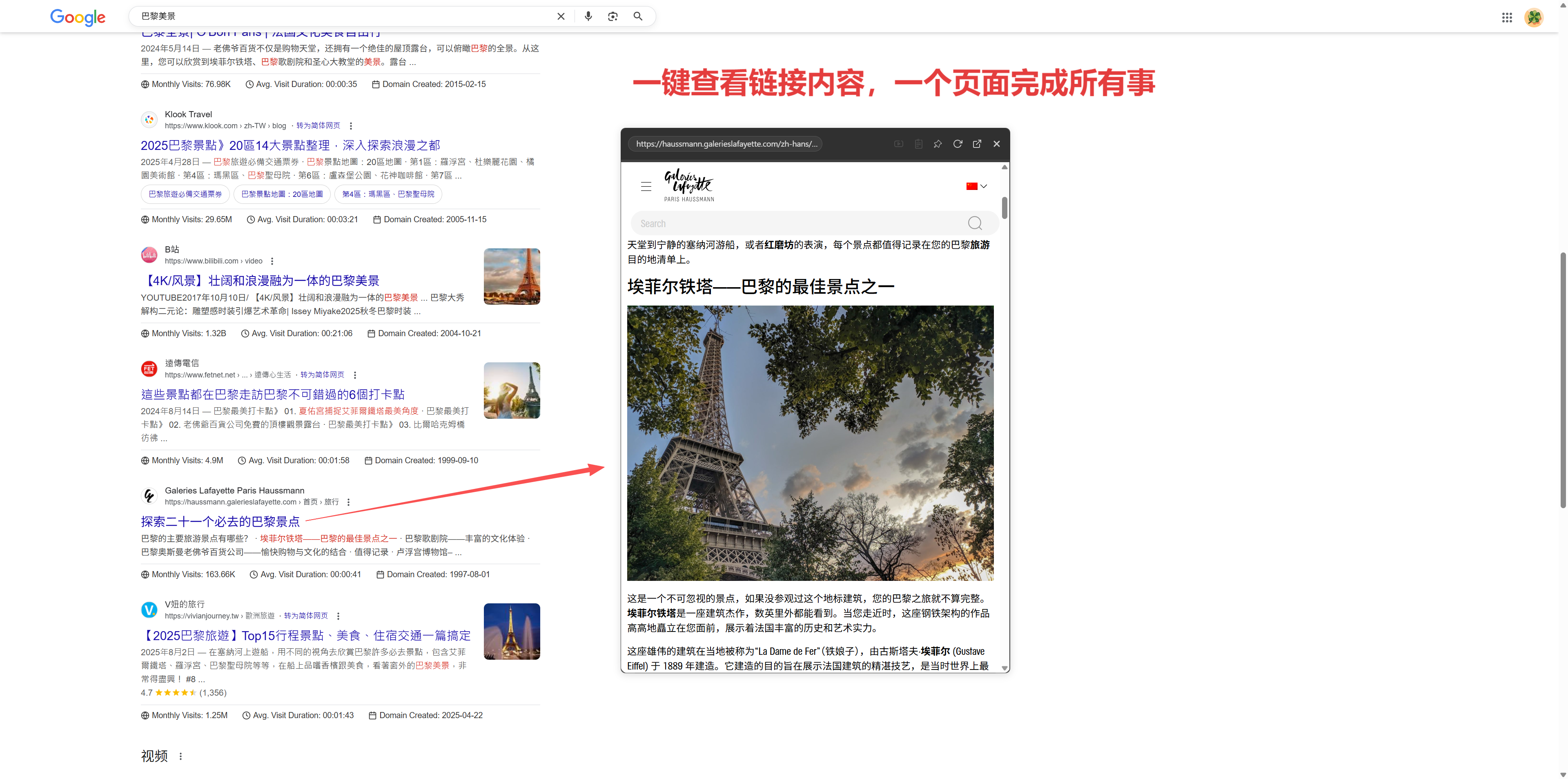
You can even continue clicking internal links in the mini window, truly achieving multi-level connected reading without disturbing the main page browsing.
3. Word/Concept Lookup, Mastering the Flow of Knowledge
Encountering obscure words or terminology? In the past, you would need to copy, open a new tab, Google it, and then return.
Now, just select the phrase & drag it, and NoTab will display the search/translation results in a popup on the original page, allowing you to quickly return to your reading state! (Word lookup and translation can all be done in one click)

4. Immersive Video Watching While Learning/Working
Saw an interesting video or tutorial material on YouTube/Bilibili?
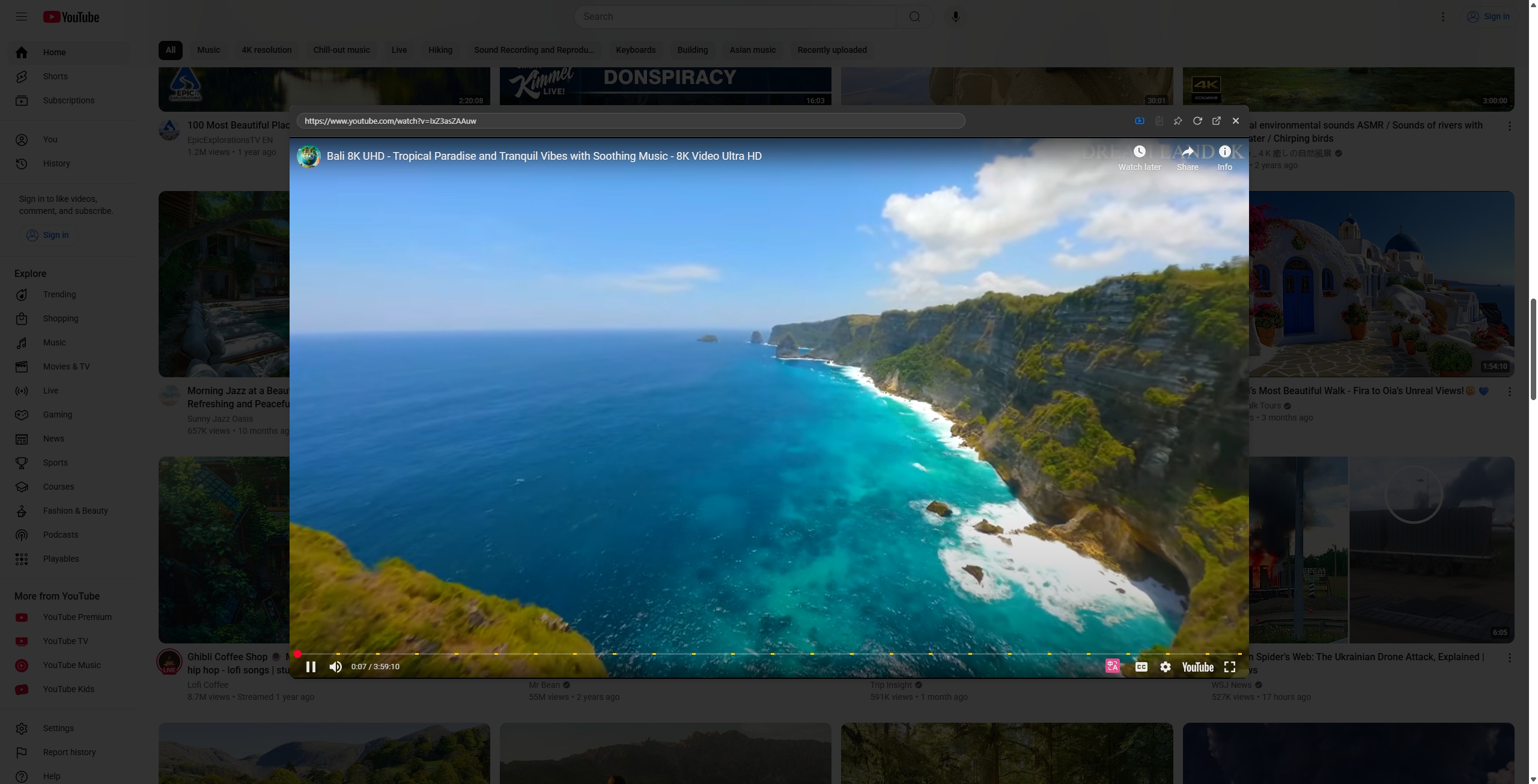
In ordinary browsers, you have to switch to a whole new page, which can easily fragment your attention. With NoTab, you can float the video window to any corner and work while watching.
The window also allows free adjustments of size and transparency, making it perfect for note-taking, reviewing, and even multitasking.
5. Productivity Tool Pages, 'Mini Window' Enhances Efficiency
For instance, if you are browsing internal links or resource pages on Notion, Feishu, or document collaboration platforms, just use NoTab to drag a link, and the mini window pops up anytime, greatly enhancing your batch review efficiency.
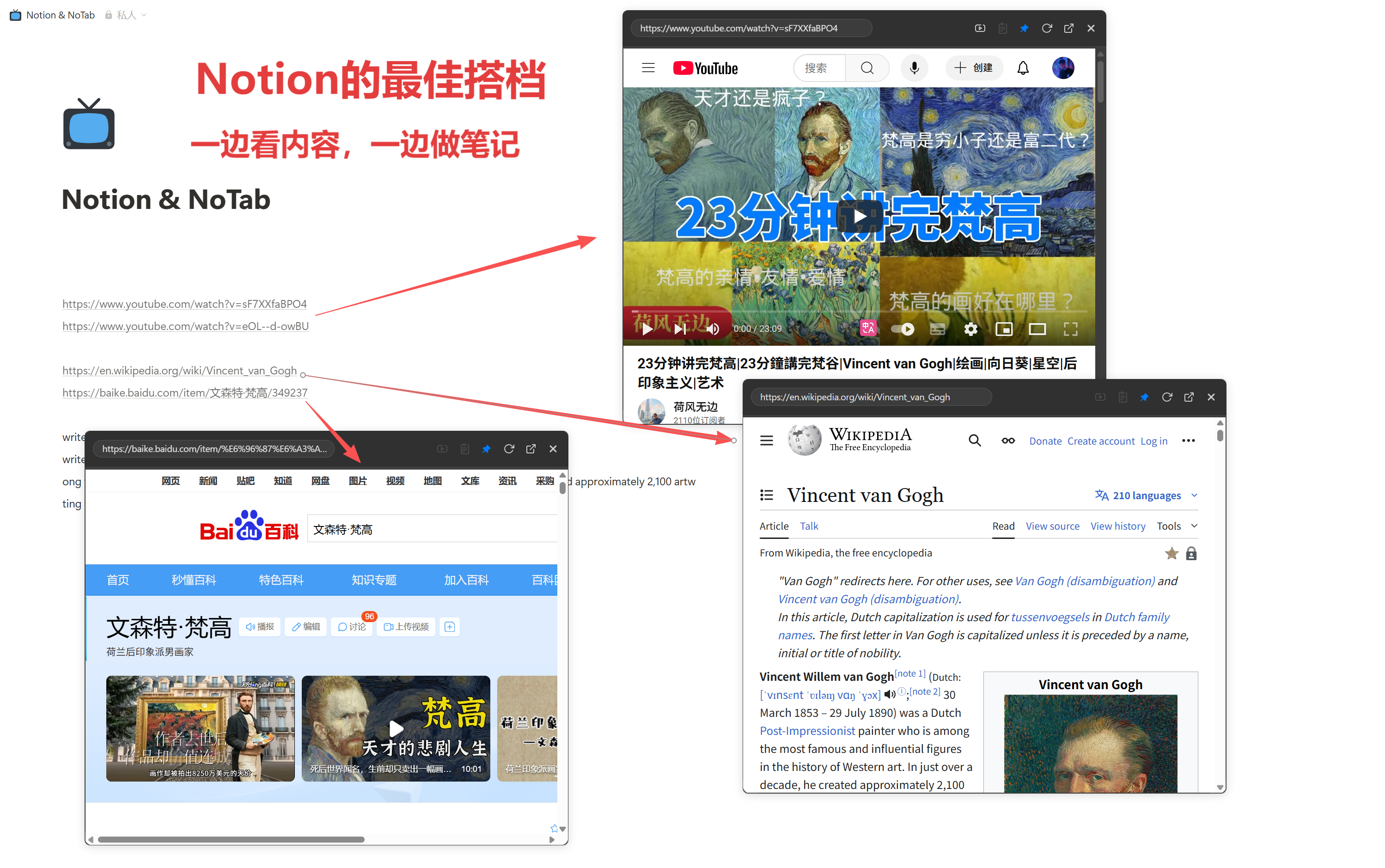
6. Multiple Themes and Windows, Showcasing Personality
NoTab supports various window styles and themes, with customizable corner radius, transparency, and primary colors, suitable for any desktop aesthetic!
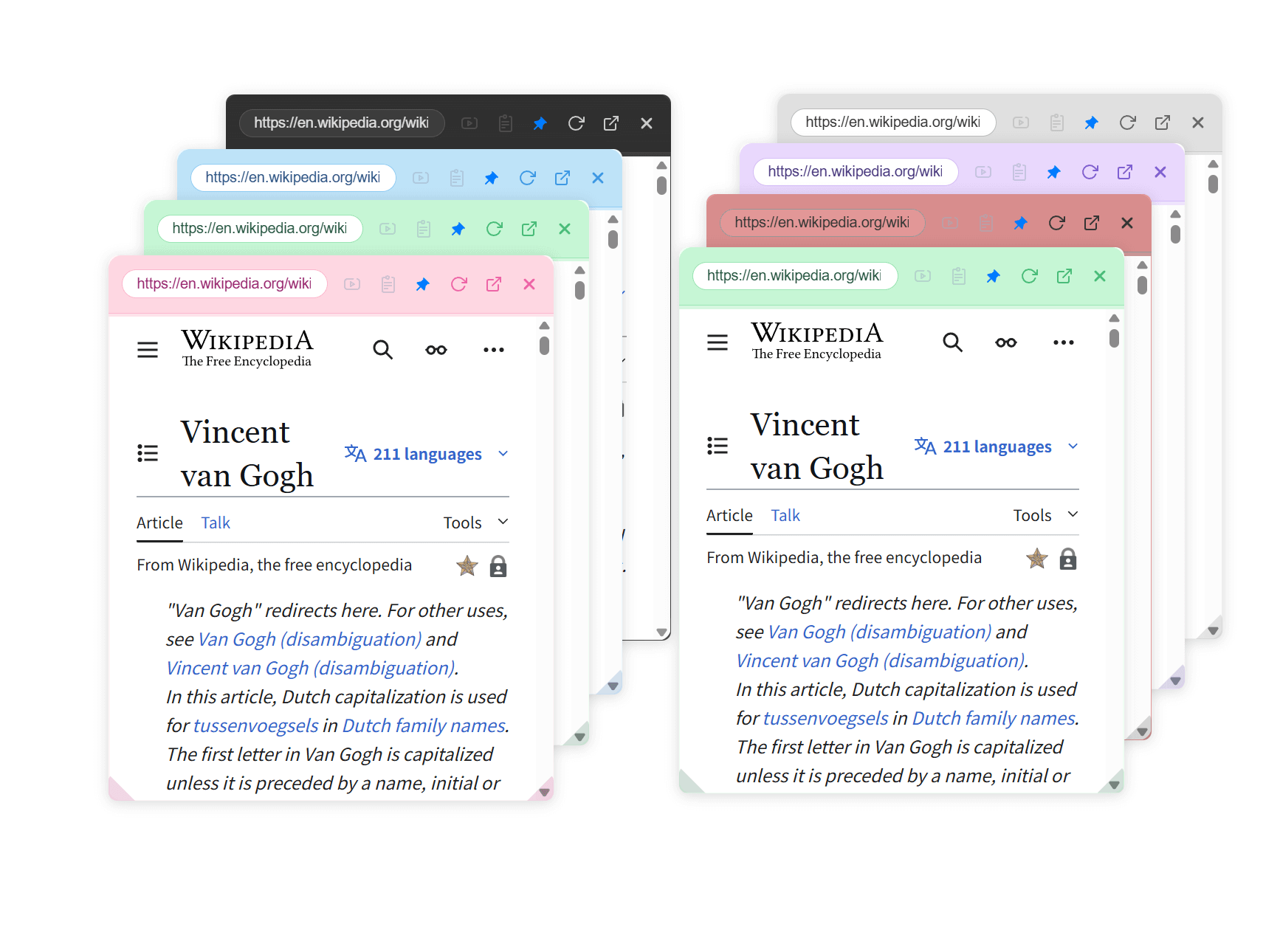
What Other Thoughtful Details Are There?
- Window size/transparency/corner radius can be adjusted freely
- Mini windows can be pinned so that they don’t disappear while scrolling the page
- Supports customizable drag gestures, letting you choose your preferred operation mode
- Not just for new pages, internal links can still be browsed
- Compatible with major browsers like Chrome/Safari, almost all commonly used websites are supported
Pricing Model & Resource Usage
- NoTab is extremely lightweight, activating only when you perform an action, with low resource usage (the mini window is destroyed when closed)
- The free version has a daily usage limit, while the Pro version is available for a one-time fee of 19.9 yuan for lifetime use
Installation Experience
Hurry to the NoTab official website to try it out! notab.pro
Conclusion
NoTab brings your Chrome/Safari experience on par with Arc browser’s mini preview feature. The mini window appears, information is instantly accessible, making work, study, and entertainment far more efficient.
If you enjoy it, don't forget to provide feedback; the NoTab team will keep improving it!
Note: NoTab has a free version and a Pro version; the free version has a daily usage limit, while the Pro version is available for a one-time fee of 19.9 yuan for lifetime ownership.
If you have any suggestions or questions, feel free to contact the author on the official website!